
By Sam Barkley, ADSGY
Want to sell an item, advertise a service, or find a buyer in Guyana? Post a free ad on ADSGY with photos of the actual item, its condition, your asking price in Guyana dollars and your town or region. This guide walks you through the listing form so local buyers can understand what you offer and contact you with confidence.
What you need before you list
- Photos: use bright, recent pictures that show the real condition.
- Description: name the item, brand, size, age, or important features.
- Price: add your asking price in Guyana dollars (GYD) and say whether it is negotiable.
- Location: choose your town, neighbourhood, or region in Guyana.
- Contact: use a contact number you can answer; for a Guyana number, select the +592 country code where the form asks for it.
How to post your free ad
Open Post a Free Ad. If asked to sign in, use your existing account or register through My Account, then return to the listing form.
- Choose the listing type and category. Pick the category that matches what you are offering.
- Add a clear title. Include the item or service name and the detail a buyer needs most.
- Set the pricing option and amount. Choose the appropriate fixed, negotiable or on-call option shown on the form. For an asking price, make the currency clear in your description: for example, “GYD 25,000, negotiable” is an illustration, not a current offer.
- Select the condition and describe the item. Explain what works, any faults, what is included and whether collection or delivery is available.
- Upload photos. Use pictures of the actual item and follow the image number, size and file-type limits displayed on the form.
- Add your location and contact details. Choose your Guyana town or region. Check the country-code selector for phone or WhatsApp and select Guyana (+592) for a Guyana number. Do not leave a different country code selected.
- Review and submit. Check your details and read any terms presented before agreeing and submitting. Then check your account for the listing status.
Submitting an ad does not guarantee that it is already public. Open My Account and select My Listings to check the status shown for your ad. Confirm that you can open its public listing before sharing the link.
Write a title buyers can find
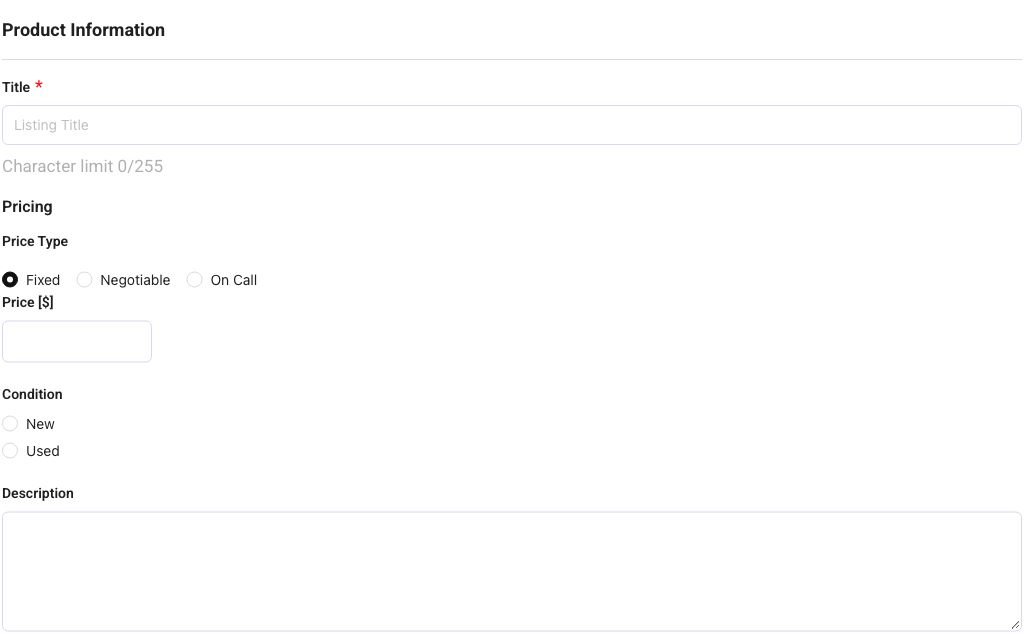
Use the words a buyer is likely to search. “Samsung Galaxy phone for sale in Georgetown” is more helpful than “Nice phone.” For vehicles, include the make, model, and year. For property, state whether it is for rent or sale and mention the area. For furniture, electronics, tools, fashion, pets, jobs, or services, include the most important identifying detail.
Make your photos and description work together
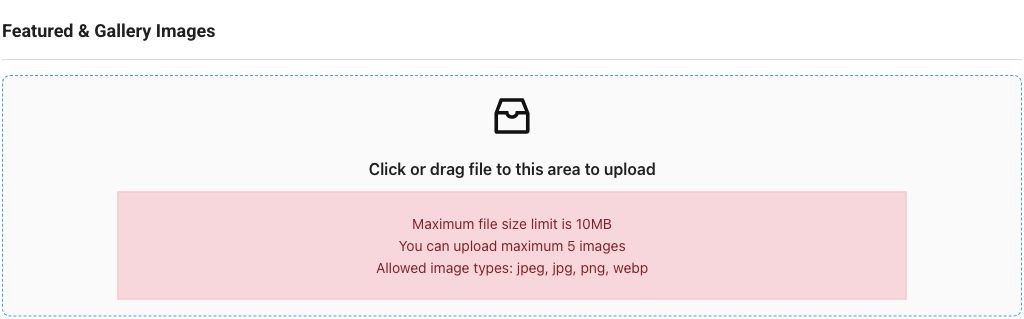
Photograph the item from several angles, show any defects honestly, and avoid heavy filters. In the description, explain what is included, the condition, collection or delivery options, and anything a buyer should know before contacting you. Accurate listings save time for both sides and are more likely to attract serious enquiries.
After you submit
Reply promptly, keep communication clear, and arrange meetings in a safe public place when possible. Never share passwords, one-time codes, or unnecessary financial information. Once the item is sold or rented, contact ADSGY if you need help keeping the listing information current.
Frequently asked questions about free ads
Do I need an account to post?
If the posting page asks you to log in, sign in or register through My Account. Keep your password private and use My Listings in your account to check the status of your ad.
What should I include in the price and description?
State the price in GYD, whether it is negotiable, the condition and what is included. Add your town or region and any collection or delivery arrangements. For phone and laptop examples, read our phones and electronics guide.
Why can I not see my submitted ad yet?
Open My Account and choose My Listings to see the status displayed. Make sure the submission is complete; do not assume it is live until you can open the public listing. Contact ADSGY if the status or next step is unclear.
3 Responses